


Clothes Skin maker for Roblox
5.02.00 Reviews
App Specs
- Version
- 4.0
- Updated On
- License
- Free
- Downloads
- 50,000+
- Developer
- KOUSSI
- Categories
- Libraries & Demo
- Platform
- Android
Screenshots
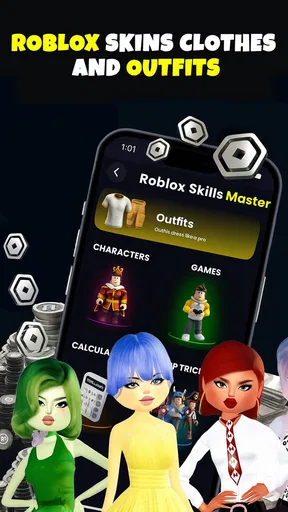
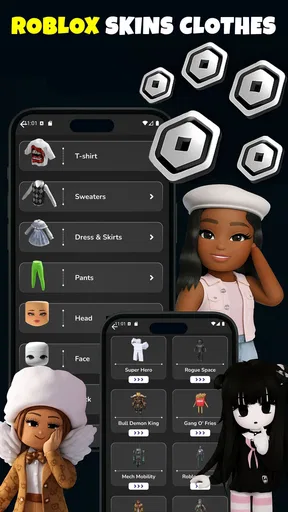
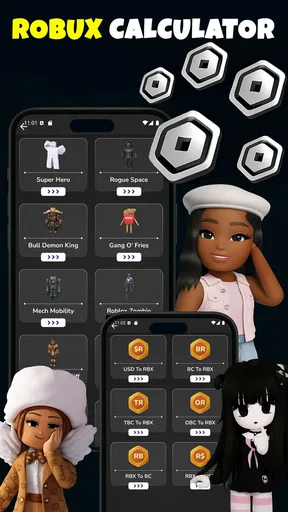
 Analysis by AppCompare
My first impression of Clothes Skin Maker for Roblox is that it aims to make outfit design feel approachable rather than like a technical art project. That matters if, like me, you have a clear idea for an avatar look but don’t want to begin with a blank canvas and a steep learning curve. The appeal is immediate: you can spend a few minutes trying colors and shapes, then decide whether the result is worth refining. The bigger question is whether that quick creative spark becomes a useful habit once the novelty wears off.
A quick creative start, with a practical limit
Clothes Skin Maker for Roblox is a free app from KOUSSI in the Libraries & Demo category. It has a 5.0 average from 553 ratings and 50K+ installs, and its age rating is Everyone. It was released on September 7, 2025, and version 4.0 requires Android 7.0 or later. Those details make it easy to place: this is a lightweight creative companion for people interested in Roblox clothing, not a replacement for Roblox itself or a general-purpose illustration studio.
The first-week appeal is easy to understand. Making a clothing idea feel tangible can be more fun than scrolling through existing outfits, especially if you want something that matches a character concept, a group theme, or a particular mood. I’d approach the app with one small goal at a time: design a shirt around two or three colors, or test a simple pattern before adding extra details. That keeps the creative session focused and makes it easier to judge whether the design actually reads well on an avatar.
A useful habit is to keep a rough idea outside the app before opening it. A short note such as “dark jacket, bright trim, simple front graphic” gives you a direction without locking you into a finished look. It also helps when you return later: instead of tapping through options hoping for inspiration, you have a clear starting point. For younger creators, this kind of small planning step can turn casual experimentation into a more satisfying design process.
Making a design you’ll want to revisit
The key long-term question isn’t how many options an editor appears to offer; it’s whether you can make clothing that feels recognizably yours and still want to improve it later. For a casual creator, the strongest use is likely quick iteration: save a promising version, compare it with a new color choice, and keep the one that works better. If you treat each session as a tiny design experiment rather than expecting a perfect outfit immediately, the app has a better chance of earning a place in your routine.
Designing your dream outfit
Now, onto the exciting part—creating your custom clothes! The app offers a range of tools that allows you to design shirts, pants, and dresses just the way you like them. Whether you want to add a splash of color, some funky patterns, or even your favorite quotes, the possibilities are endless. I found myself getting lost for hours just playing around with different styles. It’s like having a mini fashion studio in your pocket!
One feature that stands out is the drag-and-drop functionality. It makes placing elements on your clothes super easy and precise. Plus, the color palette is extensive, offering every shade you might need to express your creativity. For those less artistically inclined, don't worry! There are plenty of pre-made templates to get you started, which you can customize to your heart's content.
Worth Reading Before You Choose

EA SPORTS FC Mobile 26 Is a Bigger Football Game, but It Takes Time

Flipboard Shows What News Apps Must Do Beyond the Feed

Switching to Android Auto Means Rethinking Your Driving Routine

Google Calendar Makes a Crowded Week Easier to Manage

Ludo King Makes the Most of the Minutes Between Plans

Baby Panda World Brings Quick Play to Modern Phones, but Its Game Library Feels Busy
For a more deliberate workflow, I’d make one change at a time and save versions as I go. If you adjust the color, pattern, and graphic together, it can be hard to tell which choice improved the outfit. Trying a restrained version beside a busier one is a practical way to see whether details are helping or competing. A design that looks lively on its own may become hard to read at avatar scale, so simple contrast and a clear focal point can be more useful than filling every space.
This is also where the app’s casual-editor positioning becomes a trade-off. It suits people who want to explore outfit ideas without starting in a more demanding art workflow. If you need fine control over every pixel, layers, or a carefully managed production file, a dedicated graphics editor is likely a better fit. I’d use this app to sketch and test a clothing concept, then choose a more specialized tool if the project demands precision beyond quick customization.
Sharing and wearing your creations
Once your masterpiece is ready, the app provides a straightforward guide on how to upload your designs to Roblox. Trust me, seeing your avatar sporting your custom-made outfit is a thrill! The app also allows you to share your creations with friends or even the larger Roblox community, which is a great way to get feedback and maybe even a few compliments.
It helps to treat saving, sharing, and wearing as separate steps rather than assuming that a design is finished the moment it looks good in the editor. I’d first save a version I’m happy with, then check the upload guidance and see how the clothing translates to the Roblox experience. That small pause gives you a fallback if you later prefer an earlier draft. It also makes feedback more useful: ask a friend whether the main idea is clear, rather than simply whether they like the colors.
For an everyday scenario, imagine planning a coordinated look with a friend before a weekend game session. You could each begin with the same broad color idea, make different design choices, and compare the results before deciding what to wear. The app is most enjoyable here as a shared creative prompt, not as a promise that every concept will become a finished in-game item without further steps. If your main goal is simply to change outfits quickly, browsing existing Roblox clothing is likely faster; the editor makes more sense when the process of making the look is part of the fun.
Moreover, there’s a handy feature that lets you save your designs directly to your device, so you can revisit and tweak them anytime you want. It’s like having a personal fashion archive at your disposal.
To make that archive genuinely useful, I’d give saved designs clear names based on their purpose or central idea, rather than relying on memory. A simple label such as “night colors” or “team look” can help you find the right draft later and avoid rebuilding an idea from scratch. Before making a major change, preserve the version you already like; that is a low-effort way to keep experimentation from turning into accidental rework.
What keeps the routine fresh—and what can wear it down
The recurring value depends on how often you enjoy designing, not simply how often you play Roblox. Someone who likes inventing outfits, revisiting old concepts, or preparing a look for a particular occasion may find reasons to return. Someone who only wants the quickest route to a new avatar style may lose interest once the first few experiments are done. That distinction is more important than whether the app seems exciting during an initial session.
One possible source of fatigue is trying to make every design feel completely original. That can turn a relaxing activity into a demand for constant ideas. I’d rotate between different kinds of small projects: a color variation of an old concept, a cleaner version of a busy outfit, or a design built around one detail you want to emphasize. Reworking an existing idea can be more rewarding than starting over each time, and it gives you a fairer way to judge whether your design choices are improving.
Another trade-off is the gap between making clothing and getting it into use. The app’s upload guidance can help with the next step, but a creator should still expect to follow the process rather than assume a finished design appears in Roblox automatically. If you are choosing this mainly to acquire clothes with no creative effort, the usual route of selecting existing items is more direct. If you enjoy shaping an idea yourself, the extra steps may feel like a reasonable part of the activity.
Maintenance without turning creativity into homework
Keeping the app in your routine does not need a complicated system. I’d save only designs that have a clear purpose or that I genuinely want to revisit, and I’d leave rough experiments disposable. That keeps the collection from becoming a pile of nearly identical drafts. When returning to a saved design, make one deliberate improvement, then stop if the change does not make the outfit clearer or more appealing. The point is to preserve useful ideas, not to polish every sketch forever.
Version 4.0 is the current version, but I wouldn’t make a habit of expecting every return to bring a new tool or a fresh reason to redesign. The stronger recurring use is personal: keeping a small set of concepts, changing them when your avatar plans change, and using saved work as a starting point. That approach makes the app less dependent on novelty and more like a compact place for clothing experiments.
For younger users, the Everyone rating makes the intended audience broad, but I’d still encourage a simple, sensible approach to sharing: show a design to people you know or use the community spaces thoughtfully. Feedback is most useful when it is specific and kind, and a creator does not need to publish every draft to get value from making it. Keeping some experiments private can also make it easier to try unusual ideas without worrying about immediate reactions.
Community and support
The app has a vibrant community that's always buzzing with activity. Whether you’re looking for inspiration or advice, the community forums are a great place to start. You’ll find fellow Roblox enthusiasts sharing tips and tricks, and the developers are pretty active too, often rolling out updates and new features based on user feedback. It's clear they care about making the app as user-friendly and fun as possible.
In case you run into any issues, the support team is just a click away. They’re responsive and helpful, ensuring any hiccups are resolved promptly. It’s reassuring to know there’s a safety net if things go awry.
Who should keep it installed?
I’d recommend giving it a place on your device if you enjoy making clothing concepts as much as wearing them. It is especially suited to a casual creator who wants to try a theme, save a design, and return to it later without turning the project into a full art-production task. It can also be a good fit for friends who like comparing ideas before choosing a look for a shared play session.
I’d skip it if your priority is simply finding ready-made outfits, if you rarely customize your avatar, or if you need the precise controls of a dedicated design program. Those users are better served by browsing existing Roblox clothing or using a more advanced graphics editor for a detailed project. The app’s value is in the middle ground: more hands-on than shopping, less demanding than professional-style design work.
Final thoughts
Overall, Clothes Skin Maker for Roblox is a fantastic app for anyone looking to add a personal touch to their Roblox experience. Whether you’re a seasoned designer or just someone looking to have a little fun, this app offers something for everyone. It’s easy to use, offers limitless creativity, and brings a new level of personalization to your avatar. So, go ahead, give it a try, and let your creativity run wild!
My longer-term verdict is more measured: I’d keep it installed if I had an ongoing interest in inventing outfits, but I wouldn’t call it essential for every Roblox player. Its lasting appeal comes from small, repeatable projects—saving a draft, testing a new palette, or preparing a look with a friend—not from expecting endless novelty. If that kind of making sounds enjoyable, the free price makes trying it an easy decision; if you only want to dress an avatar quickly, you can move on without missing the part that makes this app distinctive.
Pros
- Easy to use interface for beginners.
- Wide variety of customization options.
- Supports high-quality skin exports.
- Regular updates with new features.
- Compatible with both Android and iOS.
Cons
- Limited free features without purchase.
- Occasional ads can interrupt workflow.
- Requires internet connection for some features.
- No direct integration with Roblox app.
- Skin designs cannot be shared directly.
FAQs for Clothes Skin maker for Roblox
What is Clothes Skin Maker for Roblox?
Clothes Skin Maker for Roblox is an app designed to help users create custom outfits and skins for their Roblox avatars. With a variety of tools and templates, it allows for easy customization and creativity, making it perfect for players who want to stand out in the Roblox universe.
Is Clothes Skin Maker for Roblox free to use?
The app is free to download and offers basic features at no cost. However, it may include in-app purchases or premium features that provide additional templates, tools, or ad-free experiences. It's important to check for any costs associated with these extras before proceeding.
How easy is it to create custom outfits with this app?
Creating custom outfits is straightforward with user-friendly tools and intuitive design interfaces. The app provides step-by-step guides and templates, making it accessible for both beginners and experienced users. No prior design skills are necessary, allowing anyone to express their creativity easily.
Can the custom skins be directly uploaded to Roblox?
While the app facilitates the design of custom outfits, users must save their creations and manually upload them to Roblox through the platform’s official website. It's crucial to follow Roblox's guidelines and terms of service when uploading custom content to ensure compliance.
Are there any safety concerns when using Clothes Skin Maker for Roblox?
The app is generally safe to use but requires access to certain device permissions for optimal functionality. Users should be cautious of in-app purchases and ensure they download the app from reliable sources like the Google Play Store or Apple App Store to avoid security risks.


